Find the detail you remember.
Search merchant, date, amount, category, tags, receipt ID or captured text. Use date ranges and sorting; advanced search comes with Plus and Family.
Scan receipts. Create invoices. Track warranties for any purchase.
One thoughtful app. Wherever life takes you.
 A little order. A lot less searching.
Built for individuals, households, freelancers, and small businesses. Turn everyday paperwork into something useful.
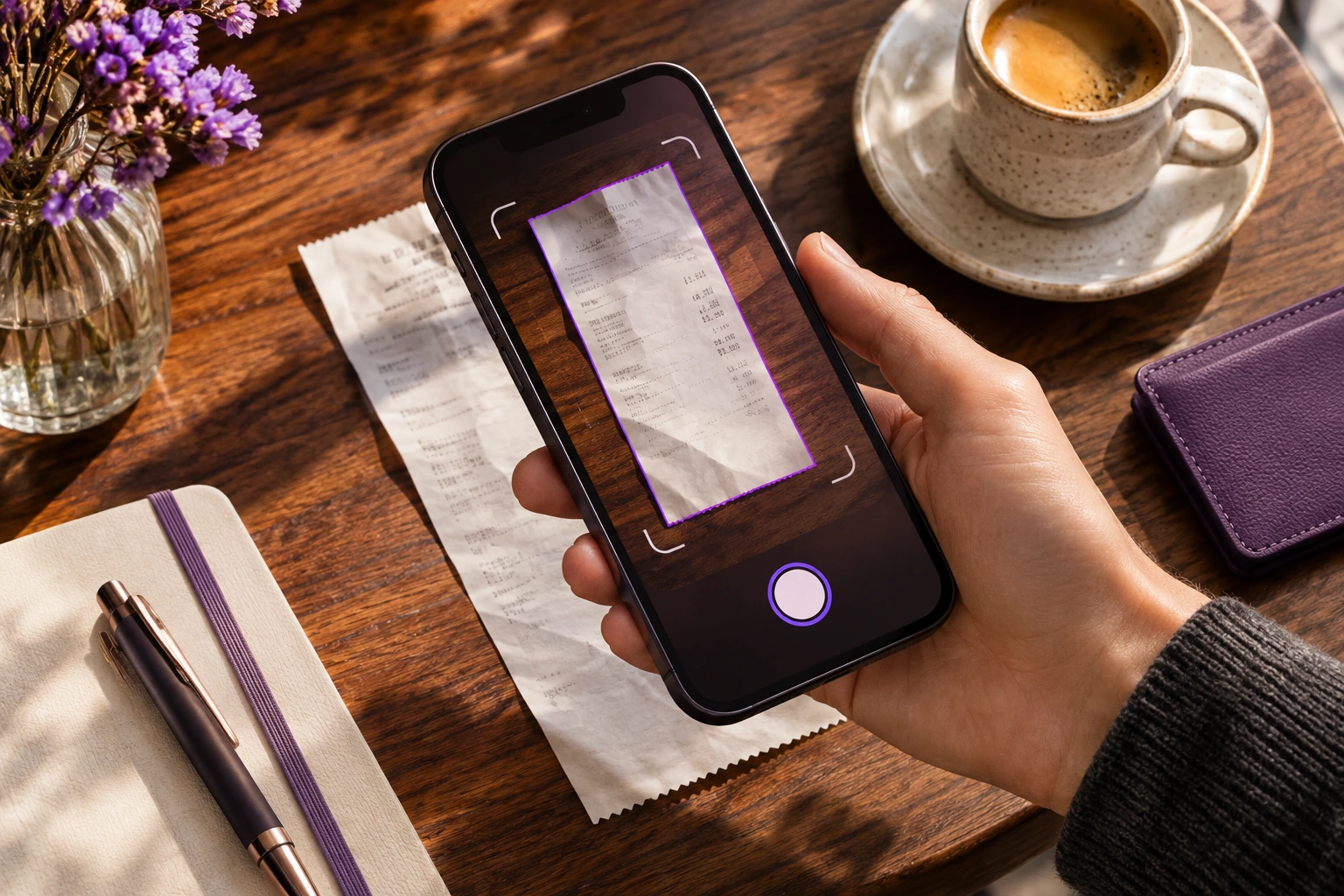
Scan paper receipts, including long and multipage slips. Crop, rotate, and enhance the image, or import a PDF or image from Files, Photos, or your share sheet.
On-device OCR extracts merchant, date, subtotal, taxes, total and currency, with item details where available. Review confidence indicators and correct the result before saving.
Save the receipt image beside editable details. Add notes, tags, folders and attachments; flag personal or business purchases and spot duplicates.
Search merchant, date, amount, category, tags, receipt ID or captured text. Use date ranges and sorting; advanced search comes with Plus and Family.
Review spending by month, merchant or category, separate personal and business activity, and review income from recorded invoice payments.
Export originals and generated documents. Plus and Family include PDF/CSV reports with date and category filters; basic data portability is available to all users.
Receipt capture, saving, viewing and search work offline after initial model setup. Synchronization and online sharing require an internet connection. Features describe the planned V1 release.
Choose an invoice template, add your details, and share a professional invoice. Record the payment and issue a separate receipt as proof—all from your phone.
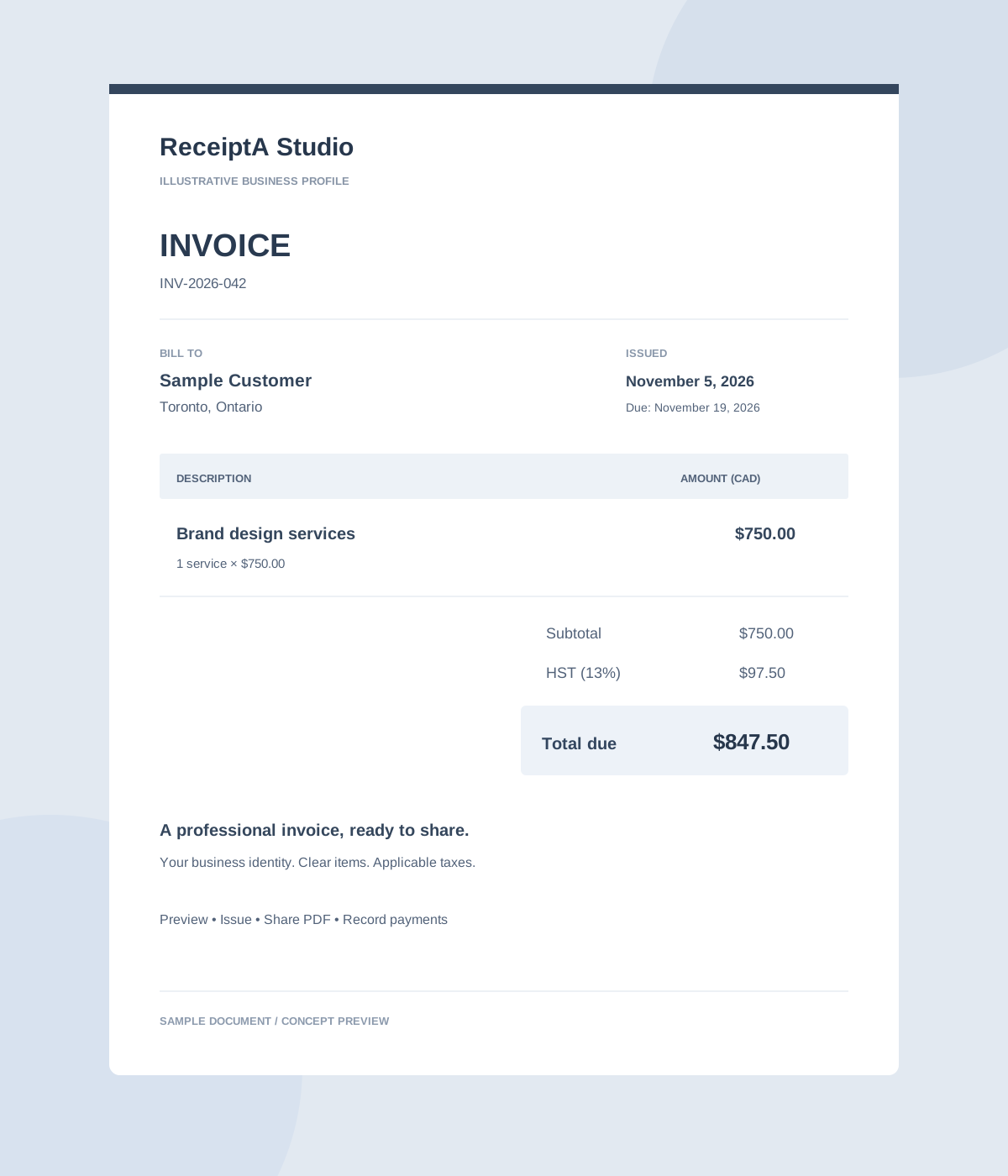
Select from the available invoice templates to find a style that suits your business. Add your business profile and logo, a saved customer, itemised products or services, discounts, applicable Canadian taxes, a due date and a sequential number. Preview your selected template and share a polished PDF.
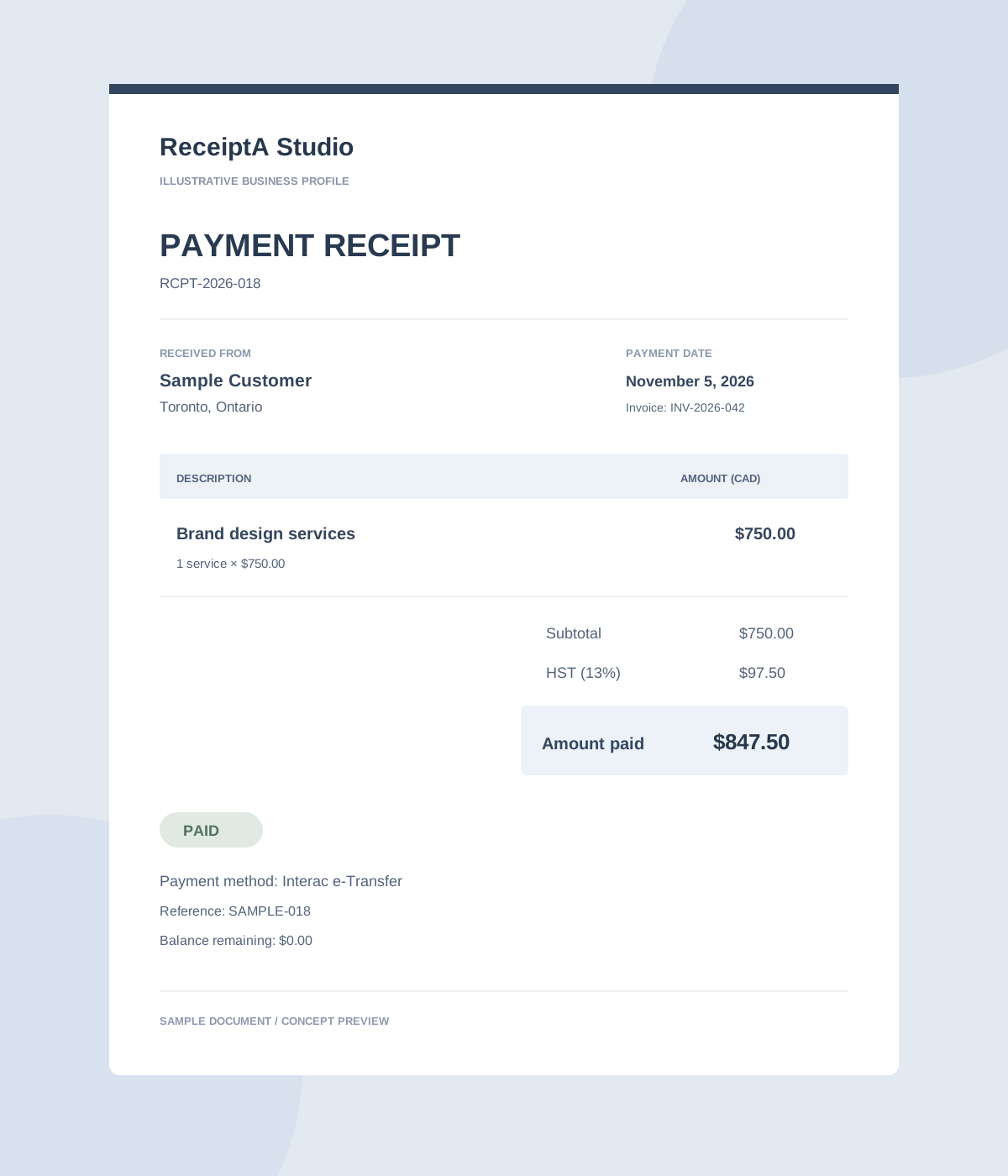
Create a numbered receipt from a recorded payment or a manual paid transaction. Include customer, items, taxes, payment method, date and reference, then export, share or print the PDF.
Illustrative document previews. Track draft, issued, sent, partially paid, paid, overdue and voided statuses, balance due, and reminders. Issued PDFs are preserved with a correction/credit-note workflow. ReceiptA V1 records payments; it does not collect online payments. Creating a receipt does not mark an unpaid invoice as paid.
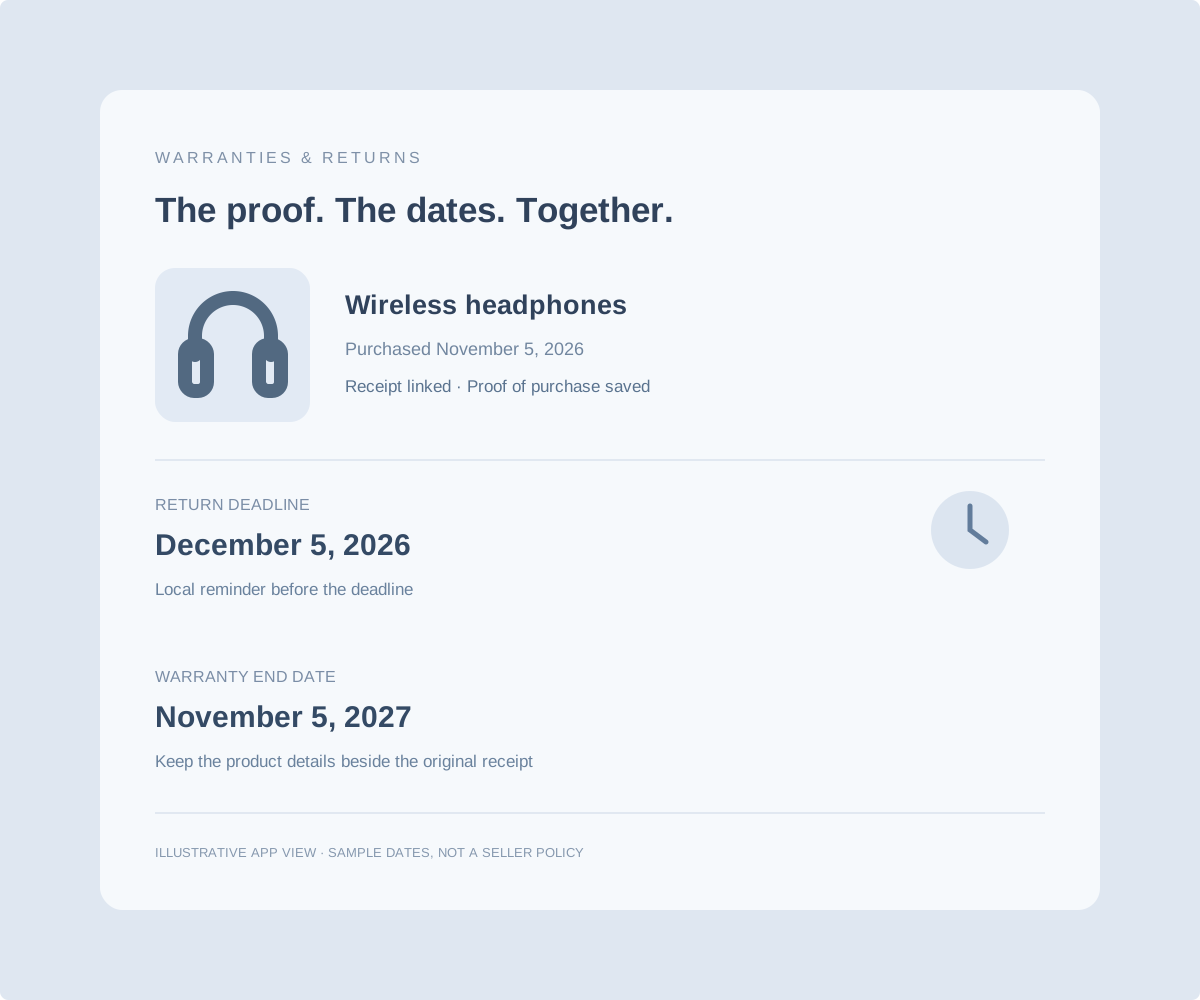
Track warranty details for any purchase—from appliances and electronics to tools, furniture and everyday essentials. Keep the purchase, proof of purchase and important dates together, with reminders before eligible warranties or return windows expire.
Warranty and return reminders are included with Plus and Family. The seller’s policy determines coverage and return eligibility; ReceiptA does not extend coverage or guarantee a refund.
For freelancers, trades, consultants and local businesses: less paperwork to catch up on, more context when you need it.
Save the receipt, check its details and add the job or client name as a note. Keep work purchases separate from personal spending.
Choose an invoice template, reuse business and customer details, add services and applicable taxes, and preview a professional PDF while on the go.
Record full or partial payment, check what is still due and issue a payment receipt. Preserve an accessible history of your documents.
Tell us your user count, locations, scan volumes, storage and sharing needs. We’ll discuss a plan that fits your operation.
Pricing, available capabilities and allowances are agreed before purchase. Family is a household plan, not a business-seat licence. ReceiptA is not a complete accounting ledger, POS, inventory or tax-filing system.
Groceries, appliances, school purchases, and the little things in between. Keep household proof of purchase easier to find.
Invite your household, choose roles and shared folders, and give members access to the purchases they need. Search by merchant, date, amount or captured text.
Link an appliance or other purchase to its receipt. Save return and warranty details, and use local reminders before the important dates slip by.
Optional encrypted Family cloud backup and sync help you share and restore backed-up receipts. Offline changes queue until you reconnect; only synchronized records can be restored.
Family includes Plus features. Storage and AI scans are pooled, not per member. Fair use applies. Household spending views and reports help you organise purchases; no bank connection or automatic budgeting service is included in V1.
On-device scanning and encrypted local receipt storage are central to ReceiptA. Free and Plus stay on your phone; Plus adds manual encrypted backup. Family adds optional encrypted cloud backup and sync.
Biometric app lock, account management, export, deletion, and privacy preferences put useful controls close at hand.
No Canadian cloud data residency promise is made before the storage region is confirmed. This is a planned-product privacy overview, not a final legal policy.
Prices in Canadian dollars. Choose monthly or yearly billing with the same plan allowances. Fair use applies.
For a little everyday order.
Invoice and payment-receipt allowances to be confirmed.
For life, work, and what’s next.
Local storage. No cloud synchronization.
For everyone under your roof.
Optional household cloud sharing and backup.
Generated invoices and payment receipts do not consume AI scans. More business users or higher volumes? Talk to us about a custom plan.
Explore the planned V1 experience.
Yes. Scanning, saving, viewing, and searching are designed to work offline after the on-device model is set up. Family synchronization requires internet access.
Free and Plus receipts remain on your device. Plus includes manual encrypted backup. Optional cloud backup and synchronization are Family features.
AI receipt extraction uses the monthly scan allowance. Manual entries and generated invoices or payment receipts do not use that allowance.
Yes. Choose from available invoice templates, add your branding and itemised details, and preview or share the PDF. Planned V1 tools also include partial or full payment recording and receipts for recorded payments or manual paid transactions. Free document limits are still being finalized.
The current V1 plan records payments and tracks balances. Online payment collection is not included.
Launch is planned for late November 2026. The experience is iOS first, with Android compatibility planned. Verified download links will appear when available.
A storage region has not been confirmed for this website. We do not currently make a Canadian data residency promise.
This is the ReceiptA business website and a reviewable product concept. Its sample previews are illustrative; scanning and document generation belong to the planned mobile app.
On Plus and Family, track warranty details for any purchase. Link the product to its receipt, record its warranty period, expiry date and return deadline, and use local notifications to remember upcoming dates. Keep the original receipt ready as proof of purchase. Coverage and return eligibility depend on the seller’s policy.
Planned launch: late November 2026. iOS first, with Android compatibility planned.
Questions about a plan, household sharing or more users for your business? Tell us what you need.
ReceiptA is a product by Alif Dynamics Inc. Contact details and office hours match Alif Dynamics’ contact page →.
Tell us how you plan to use ReceiptA. For a custom business plan, include your team size and expected scan or storage needs.