A smarter home for your receipts. Planned launch · November 2026 ↗
ReceiptA.Launch updates ↗
THE RECEIPTA TOOLKIT / PLANNED V1

One app.
Every detail, accounted for.

Turn paper receipts into a searchable wallet, create professional invoices, record payments, and keep your household organised. Here’s what you can expect from ReceiptA’s first release.

On-device AIOffline receipt walletInvoices & payment receiptsOptional Family sync
CAPTURE IT ONCE. KEEP IT USEFUL.

More than a photo
of a receipt.

A photo is a starting point. ReceiptA adds editable details, categories, searchable text, and the original proof of purchase so you can use that receipt again when it matters.

See how it comes together ↓
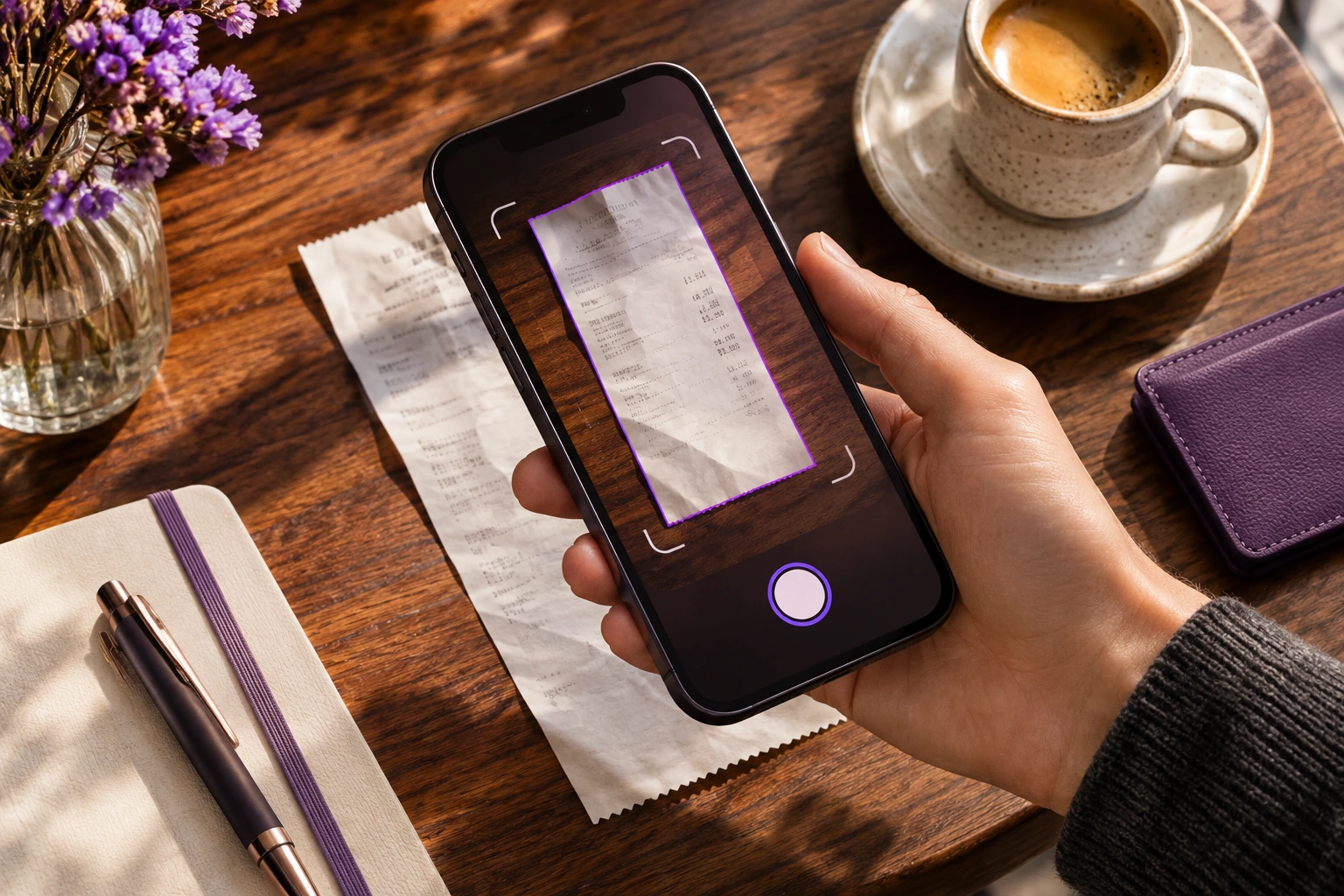
Illustrative smartphone receipt scanning at a cafe tableAI-generated lifestyle illustration
01 /

From paper to a usable record.

Capture the receipt your way, then check the details before it joins your library.

A camera built for receipts

Scan a quick coffee purchase, a long grocery slip, or a receipt spread across several pages.

  • Receipt edge detection, crop, and rotation
  • Image enhancement for clearer capture
  • Long and multipage receipt support
  • Offline OCR after initial model setup

AI helps. You stay in control.

On-device extraction turns receipt text into details you can review and correct.

  • Merchant, purchase date, subtotal, taxes, total, and currency
  • Item details where available
  • Confidence indicators to help you spot fields to check
  • Original image beside editable extracted information

Bring in receipts you already have

Start with existing files as well as paper. Add a purchase manually whenever that is easier.

  • Import receipt PDFs and images
  • Use Files, Photos, or your phone’s share sheet
  • Unlimited manual entries on the proposed Free plan
  • Generated invoices and payment receipts do not use AI scans
In everyday life

Photograph a grocery receipt, correct a date if needed, and save it under Groceries. You keep both the purchase details and the original image.

02 /

Find the right receipt, without the hunt.

Keep a flexible library for personal purchases, business expenses, and the proof you may need later.

A library that follows your life

Give each purchase context rather than leaving it in a camera roll.

  • Save, edit, or delete receipts
  • Add notes, tags, folders, and attachments
  • Flag spending as personal or business
  • Duplicate detection helps flag repeat receipts

Search the details you remember

Find a purchase even when you cannot remember exactly where you saved it.

  • Search merchant, date, amount, category, or tags
  • Look up a receipt ID or words in captured receipt text
  • Filter by date range and sort results
  • Offline receipt indexing; advanced search on Plus and Family
In everyday life

Remember the shop but not the date? Search by merchant, narrow the date range, and open the original receipt when you need proof of purchase.

03 /

Professional documents. Clear payment records.

Build invoices, record what has been paid, and create a separate receipt as proof of a paid transaction.

Invoices that look like your business

Create an itemised invoice with your identity and the information your customer needs.

  • Business profiles, logos, and a reusable customer directory
  • Products or services, discounts, notes, and due dates
  • Sequential numbering and applicable GST/HST/PST/QST settings
  • Preview, save a draft or issue, then share a PDF

Know where every invoice stands

Follow the invoice through its lifecycle and keep the outstanding balance visible.

  • Draft, issued, sent, partially paid, paid, overdue, and voided statuses
  • Record partial or full payments and track balance due
  • Payment reminders
  • Preserved issued PDFs and a correction / credit-note workflow

Payment receipts, ready to share

Document a payment from a recorded paid invoice or a manual paid transaction.

  • Unique receipt number and customer details
  • Itemised amounts, taxes, payment method, date, and reference
  • Preview and validate totals before finalizing
  • Save a PDF, then share or print using your device
In everyday life

Issue an invoice, record the customer’s payment, then create a payment receipt. Generating a receipt does not automatically mark an unpaid invoice as paid.

YOUR INVOICE WORKFLOW
  1. 1. BuildChoose a business and customer. Add items and tax.
  2. 2. IssueCheck the number and due date. Share the PDF.
  3. 3. RecordLog partial or full payments and review the balance.
  4. 4. ConfirmCreate a payment receipt from a recorded payment.

ReceiptA V1 records payments; online payment collection is not included. Tax settings and document rules are subject to pre-release validation.

04 /

See your spending. Remember the deadlines.

Turn saved paperwork into practical information, with reports and reminders on Plus and Family.

Expenses and recorded income in view

Understand your activity without building a spreadsheet from scratch.

  • Monthly spending by category and merchant
  • Separate personal and business expenses
  • Income based on recorded invoice payments
  • Canadian tax summaries for your review

Reports you can take with you

Choose the information and time period you need, then export it.

  • PDF and CSV expense reports
  • Invoice and payment history reports
  • Date ranges and category filters
  • Basic data portability for every user

Keep returns and warranties close

Connect the product, the deadline, and the proof of purchase.

  • Link a purchased product to its receipt
  • Track a return deadline and warranty details
  • Local notifications and status tracking
  • Search and open the proof of purchase when needed
In everyday life

Check the month’s business expenses, export a date-filtered report, and receive a local reminder before a saved return deadline.

05 /

Choose your own way to keep and share.

Free and Plus stay on your device. Family adds optional cloud backup and household synchronization.

Local storage and manual backup

Keep your personal receipt library on your phone with Free or Plus.

  • On-device receipt storage on Free and Plus
  • Manual encrypted backup on Plus
  • Scan, save, view, and search offline after model setup
  • Your receipt originals and generated documents can be exported

A shared home for household receipts

Family includes Plus features and adds shared access for up to five members in total.

  • 500 shared AI scans per month
  • 20 GB pooled cloud storage
  • Member invitations, roles, permissions, and shared folders
  • Optional encrypted backup and synchronization

Carry on offline. Catch up later.

Family sync is designed to handle changes when your connection comes back.

  • Queue offline changes for later synchronization
  • Restore backed-up receipts on a new device
  • Retry interrupted synchronization
  • Handle conflicting edits and avoid duplicate sync operations
In everyday life

Save a household purchase while offline. When you reconnect, Family synchronization can make it available in the shared folder to members with permission.

06 /

The controls you expect, close at hand.

Manage your account, app access, subscriptions, and preferences from one place.

Your account and your access

Sign in and manage the account connected to your receipt wallet.

  • Email/password, Apple, and Google sign-in
  • Password reset, profile, and session management
  • Biometric app lock
  • Account deletion and data export

Privacy built into the approach

Keep everyday scanning on your device and control optional household sharing.

  • Encrypted local database and receipt files
  • Protected device keychain / keystore storage
  • Encrypted Family synchronization with controlled access
  • Privacy preferences and secure system sharing

Subscriptions and everyday settings

Keep your plan and app preferences understandable.

  • App Store / Google Play subscription management
  • Restore eligible purchases
  • Notification and privacy preferences
  • In-app support access
In everyday life

Use biometric app lock, adjust reminder preferences, and restore an eligible purchase when setting up the app on a supported device.

07 /

What comes with your plan?

Proposed V1 packaging. Final features, prices, and allowances will be confirmed at launch.

On small screens, swipe the table to compare all three plans.

ReceiptA planned feature availability
FeatureFreePlusFamily
AI receipt scans / month5150500 shared
Manual receipt entriesUnlimitedUnlimitedUnlimited
Receipt storageOn deviceOn deviceOn device + optional cloud
SearchBasicAdvancedAdvanced
Reports & reminders—IncludedIncluded
Invoices & payment receiptsLimits to be confirmedUnlimitedUnlimited
Basic data exportIncludedIncludedIncluded
Manual encrypted backup—IncludedIncluded
Cloud backup & sync——Included
Household members11Up to 5
Pooled cloud storage——20 GB
THE FIRST RELEASE

Focused on the everyday essentials.

The features above describe the planned V1 mobile app, with an iOS-first experience and Android compatibility planned. This website is a preview, not the working scanner.

What is outside V1?

Automatic Gmail/Outlook import, bank connections, retailer POS integrations, AI chat over receipts, accountant collaboration, loyalty programs, barcode product lookups, and corporate approval workflows are deferred beyond the first release.

Scanning works offline after model setup; Family synchronization needs internet access. No Canadian cloud data residency claim is made before the storage region is confirmed.

More answers in our FAQs →
LESS PAPER. MORE POSSIBILITY.

Your next good habit
starts with one scan.

Explore the launch ↗

Planned for late November 2026.

THANK YOU FOR TAKING A LOOK.

We’re getting ready.

ReceiptA is planned for late November 2026. App Store links and launch notifications will be added before release.

This is a review template. No information is collected and the app is not yet available here.